Loyalty
A loyalty program customers spend like money
Points or money, spent in any amount at checkout and at the register, with an expiry date on every deposit.
Live
Loyalty The platform
Shopwaive gives customers, staff and B2B buyers a balance they spend in your store. Here is every product and every place it works, as it runs for merchants today.
Products
Loyalty
Points or money, spent in any amount at checkout and at the register, with an expiry date on every deposit.
Budgets
Each budget has its own amount, expiry date and PO number, and you download one month-end file by budget and PO.
Wallets
Spent in any amount, taken only when the order is paid, with the history of every change.
B2B
A company's wallet is shared with its buyers through a customer segment and spent at B2B checkout.
Wallets and balances
Your rewards
1,240 pts
Worth $12.40 at this store's rate of 100 points to $1.00
Each deposit keeps its own expiry date. Example amounts at this store's rate.
Checkout and storefront
The shopper presses Redeem and chooses how much to use. Nothing is applied on its own, and nothing leaves the balance until the order is paid.
Step 1 of 3. Balance $48.20. Nothing has been taken.
Shopify POS
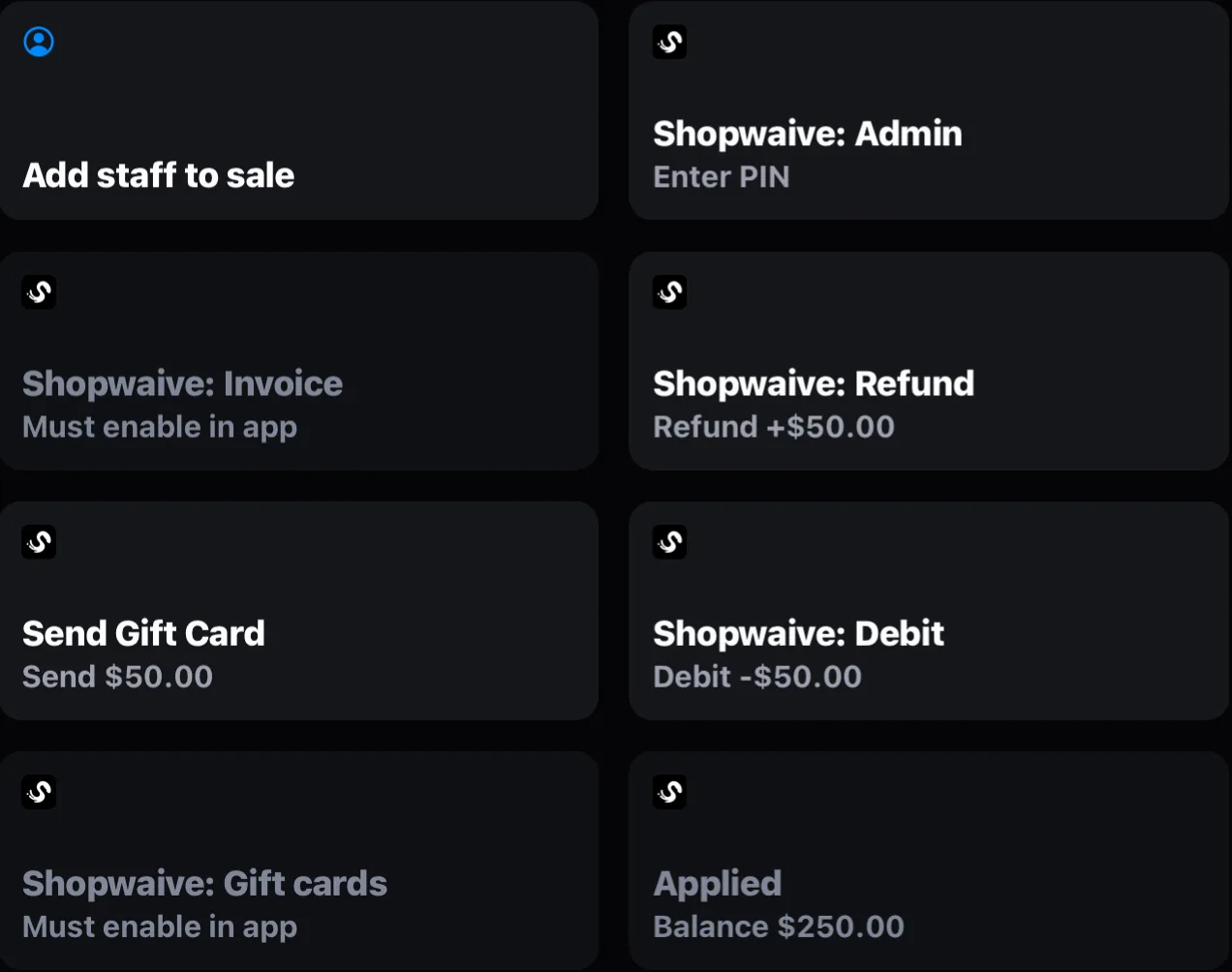
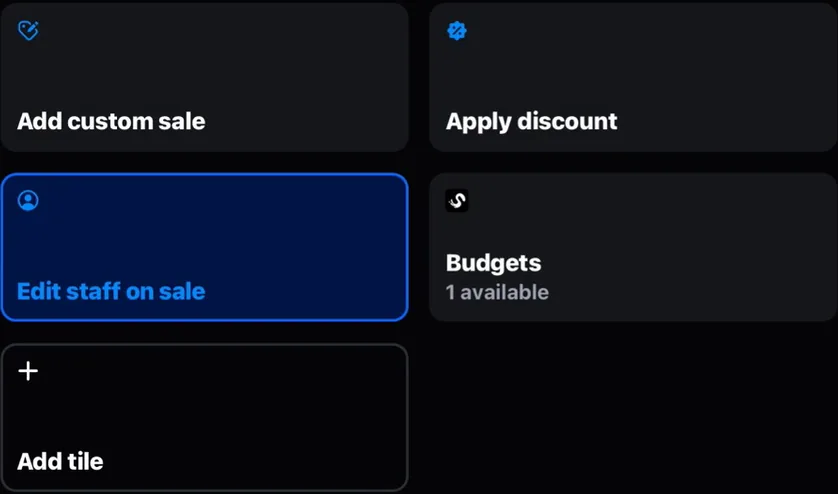
Shopwaive adds seven Smart Grid tiles to Shopify POS. Staff add the customer to the cart and the Account tile applies the balance up to the total due; a card pays the rest. On a Budgets store the tile reads Budgets and opens the list of the buyer's budgets.
NET 30 invoicing with the Invoice and Admin tiles carries the feature charge. While invoicing is on, Shopwaive's balance services are off for that store.
Shopify Flow
Build your own rules on the triggers your store already has. Every Shopwaive action and trigger works on any paid plan. Shopwaive's own Flow emails come with the Checkout plan.
When an order is paid, Increment balance adds the amount you set to the customer's balance.
Companies
A company's wallet is shared with its buyers through a customer segment, and they spend it at checkout. Your exports show who placed each order and who funded it.
A buyer who belongs to more than one company account uses the first one that applies.
Example Co. (a client company)
Company wallet
$4,800.00
The wallet's own currency. Buyers paying in another currency see it converted at Shopify's rates.
| Order | Placed by | Funded by | Amount |
|---|---|---|---|
| #2207 | A. Chen | Company wallet | $640.00 |
| #2213 | R. Okafor | Company wallet | $212.50 |
| #2219 | A. Chen | Company wallet | $1,105.00 |
API
Your developers get a REST API, an Order API for headless stores, and keys they can create and revoke, on the Checkout plan.
REST API, Order API and keysWorks with
Everything here is live today. Filter by where it works, or search.
Showing 15 of 15
The Redeem block: any amount in one press, with the amount applied shown under it.
The balance and its history in a section of your theme.
The balance on the profile page of new customer accounts.
Seven Smart Grid tiles: redeem, refund, debit, invoice, admin and gift cards.
Company wallets that buyers spend at B2B checkout.
11 Shopwaive actions and 3 triggers.
A Flow action that adds to or takes from Shopify's native store credit.
One trigger and four actions.
Give credit from any order, and apply the balance to draft orders.
Accounts, deposits, redeemed, outstanding, orders and attributed revenue in the Shopwaive app, for any time frame from today to all time.
An AI assistant for chat and code in the Shopwaive app.
Create gift codes in Flow, and send or redeem gift cards at the register.
Customers, balances and actions, with keys you create and revoke.
Shopify orders with the balance applied, for headless stores.
llms.txt and an MCP endpoint on both doc sites.
Nothing matches.
Live today
Every row is live for merchants today. The last column says what each one needs.
| Capability | Status | Condition |
|---|---|---|
| Loyalty balance in points or money | Live | Earning rules built in Shopify Flow |
| Budgets with PO numbers and a month-end file | Live | Switched on in your settings |
| Redeem block inside checkout | Live | Shopify Plus and the Checkout plan |
| Gift code that can pay the whole order | Live | Shopify Plus |
| Seven Shopify POS tiles | Live | Invoicing carries the feature charge |
| 11 Flow actions and 3 triggers | Live | Any paid Shopwaive plan |
| REST API and Order API | Live | Checkout plan |
| Webhooks | Not offered | Use the Shopwaive triggers in Shopify Flow |
| Docs for AI assistants | Live | llms.txt and an MCP endpoint on both doc sites |
Questions
A balance for each customer, staff member or B2B buyer that they spend in your store, in any amount. Loyalty, Budgets and company wallets all run on that balance, at checkout and in Shopify POS.
The Shopify POS tiles work on any Shopify plan that includes Shopify POS. The one-press Redeem block inside checkout and the gift-code rail need Shopify Plus, because Shopify allows apps on the checkout's information, shipping and payment steps only on Shopify Plus.
When Shopify marks the order as paid. An abandoned checkout or a cancelled sale takes nothing.
No. Flow is optional. Its Shopwaive actions and triggers let you build your own rules, such as points on paid orders or a welcome balance, on any paid Shopwaive plan.
Install Shopwaive from the Shopify App Store and start a 7-day free trial, or book a demo and we will map your loyalty, Budgets and B2B needs to one wallet.